The CV service for people who use an AI assistant
Your CV, written with your AI. Yours to keep.
Vitae keeps your CV as a document you own. Your assistant writes and edits it over MCP, Vitae typesets it as a real PDF in more than one language, and you publish it at your own address — or keep it to yourself.
Start free — connect your AI See example CVs
Free for one CV in up to four languages, with 60 assistant calls a day — no card, no trial clock. Vitae Access is $24 a year.

Specimens
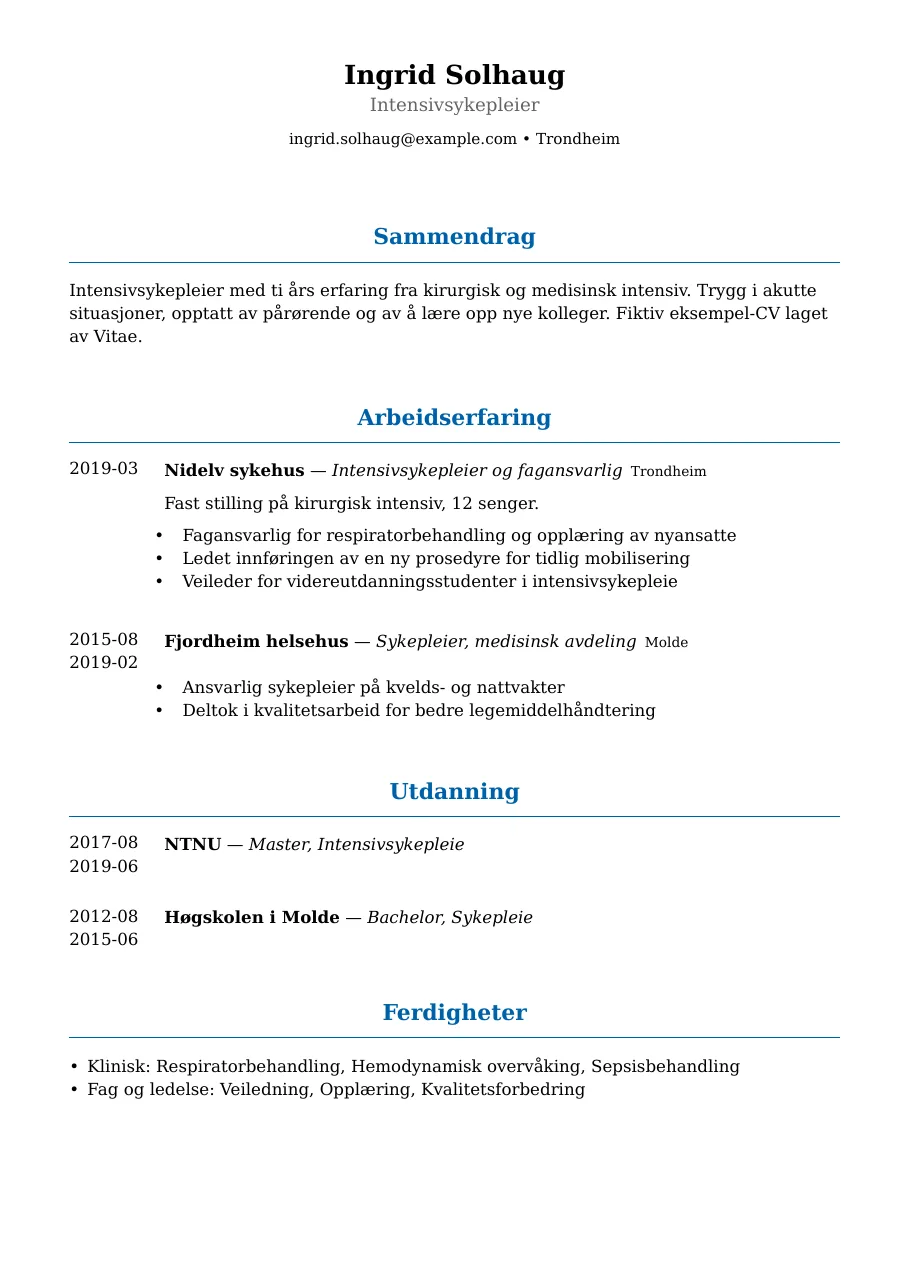
Example CVs
Three invented people, typeset by the same renderer your CV goes through. Open any of them as the PDF a reader would get.
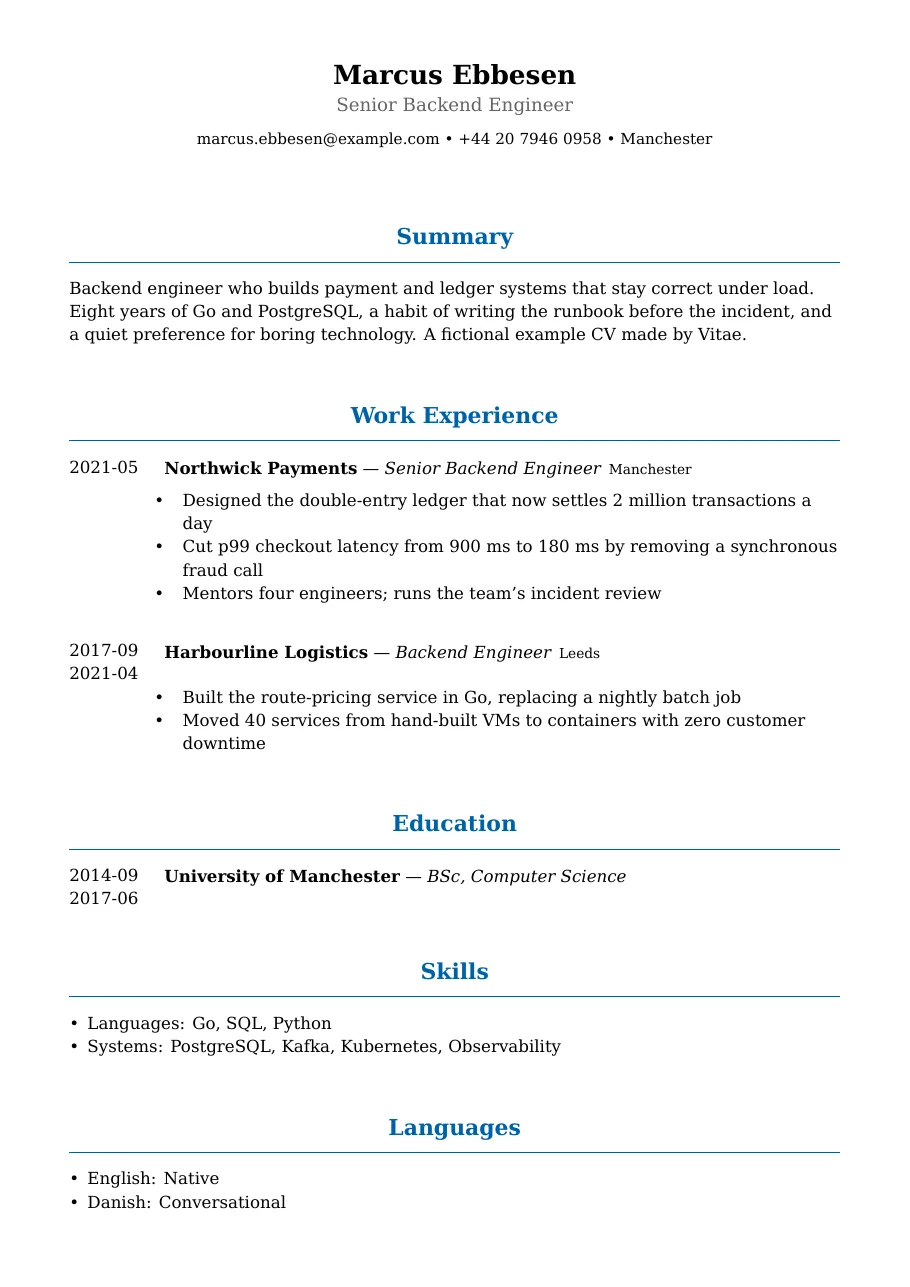
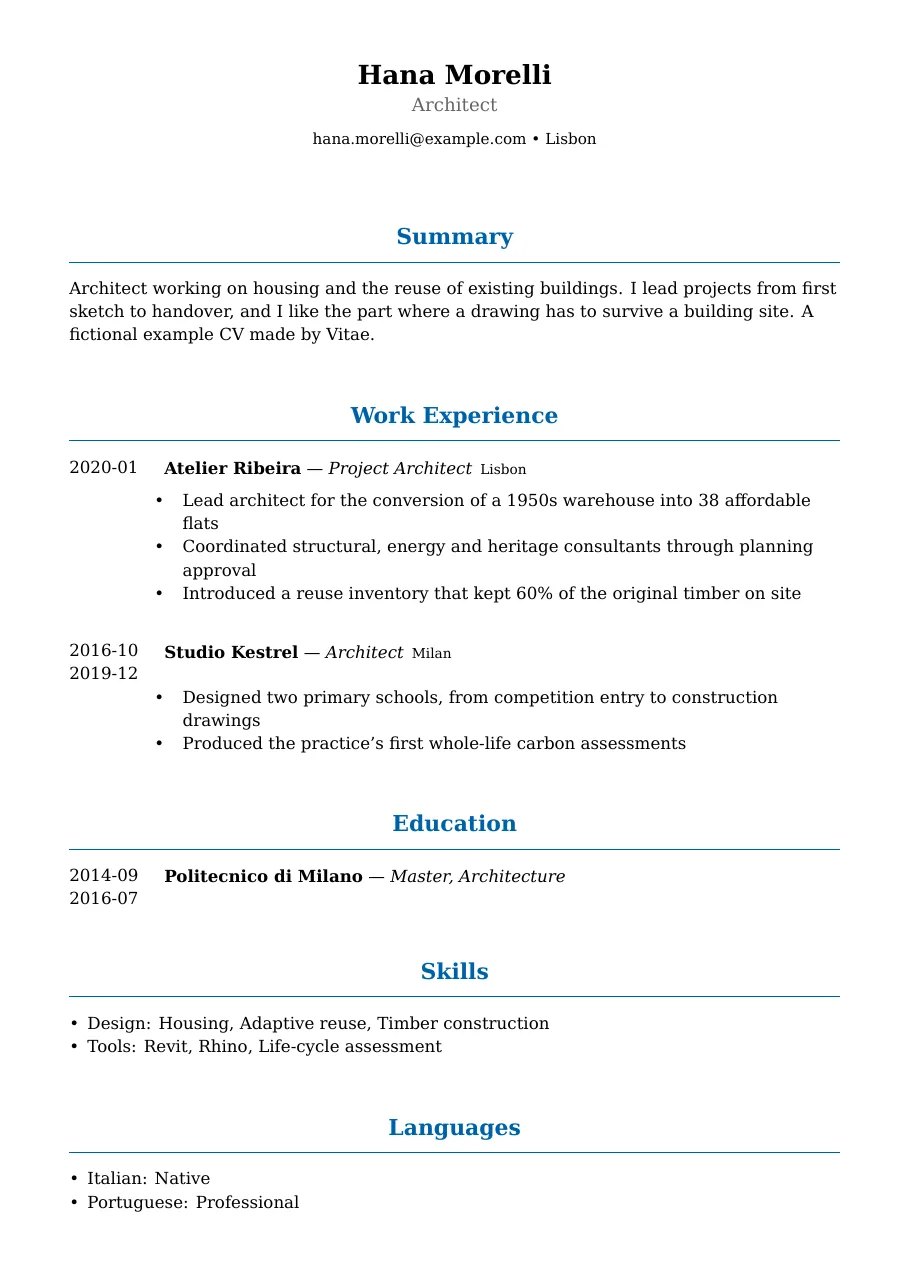
Every person, employer and address in these examples is invented. None of them is a Vitae customer.
Three steps
How it works
-
Connect Vitae to your AI
Add one address to Claude, Claude Code, Cursor or any other MCP client, and sign in once. There is no key to copy and nothing to install.
-
Tell it about your work
Paste your old CV or just talk. Your assistant fills in roles, education and skills, and keeps your language editions in step. You never touch a form.
-
Publish, and send the PDF
Pick your address, publish when you are ready, and put the PDF link in your application. Unpublish at any time.
Things to say to your AI
- “Import my CV and keep a Norwegian edition beside the English one.”
- “Add the role I started in April, and check the two editions still match.”
- “Render it as a PDF and give me a link I can put in an application.”
What you get
A CV that is a document, not a web form
A typeset PDF
Set by a real typesetting engine — the one that sets our books — not printed from a browser. Ragged right, with the dates in a straight rail you can scan at a glance.
More than one language
Editions of one CV are kept in parity, so the Norwegian and the English never quietly drift apart. PDFs are typeset in English and Norwegian today.
Your own address
Publish at vitae.publifye.com/your-name. Change the address, or retire a link you handed out, whenever you like.
Your history, kept
See what changed and when, and take back one edit or a whole afternoon of them. The last 365 edits of each language edition are kept, on every plan.
An open format
Your CV is stored as JSON Resume, an open standard. Export the whole document, free, on every plan.
A photo, if you want one
Add a profile photo and choose, edition by edition, whether readers see it. Uploading a photo never publishes it.
Two states, nothing in between
Published, or not there at all
A CV is meant to be read, so Vitae has no half-private settings to get wrong. A new CV always starts unpublished.
Published
Anyone with the address can read the page and the PDF, with your email, phone and city — never your street address. It is never offered to search engines.
Not published
There is no CV. The page, the PDF and every link you handed out answer exactly as if the address had never been used — at once, in every language. A copy someone already downloaded is beyond anyone’s reach.
Pricing
Start free. Pay when you need more CVs.
Free
$0
- One CV in up to four languages
- 60 assistant calls a day
- The same PDF, publishing, history and export as the paid plan
- No card, and it never expires
Vitae Access
$24 a year
- Up to 100 CVs — one for every kind of role you apply for
- No limit on languages
- Lifts the 60-a-day call allowance
- Cancel any time; your documents stay yours
Prices in US dollars. The store shows the price in your own currency before you pay.
Questions about Vitae
What people use it for
Keep my Norwegian and English CV true to the same career.
Yes — that is what Vitae is built for. A role is added to two languages in one step, and it is refused if the dates would differ between them. `parity_check` tells you where one edition has something the other lacks; wording and titles may differ, because that is what a translation is.
- Ask your AI
Add my new job to both CV editions; check their facts match.
- What it does
cv_getentry_add_pairparity_check
- What you get
- Both editions updated together, with structural differences reported.
Turn my career notes into a CV I can send.
Yes. Your assistant puts your supplied career facts into structured fields, and cv_render typesets an edition. cv_pdf_link returns your complete owner download, which requires your session. If you choose to publish, the public version excludes street address and postcode but includes email, phone and city.
- Ask your AI
Make a CV from my career notes and give me the PDF.
- What it does
cv_createbasics_setentry_addcv_rendercv_pdf_link
- What you get
- Structured career facts and a typeset owner PDF.
Bring back one job without undoing my later edits.
Yes. Inspect the change list and diff, then cv_cherry_pick restores that one role while keeping later changes. It affects one language edition, so your assistant should run parity_check afterwards and show any differences that need your attention.
- Ask your AI
Restore the role I removed, keeping my later changes.
- What it does
cv_changelogcv_diffcv_cherry_pickparity_check
- What you get
- One restored entry, with any language mismatch reported.
Let me bring my CV in and take it with me again.
Yes, when the input is a JSON Resume document. Import replaces a language edition rather than merging it, so your assistant validates it first and supplies the current source hash to protect newer changes. Export returns JSON Resume data you can take to another tool.
- Ask your AI
Import my JSON Resume file, and show me how to export it.
- What it does
cv_validatecv_getcv_importcv_export
- What you get
- A checked edition replacement and portable JSON Resume data.
Use a photo in my Norwegian CV but leave it out in English.
Yes. Upload the photo once, then choose whether readers see it separately for each language edition. New photos start hidden; hiding one keeps the file, while clearing it deletes the stored photo.
- Ask your AI
Show my photo in Norwegian and hide it in English.
- What it does
photo_setphoto_visibility_set
- What you get
- Separate photo choices for each edition; the stored photo stays.
Let recruiters read my CV, then close the link.
Yes. You choose publication with visibility_set; cv_pdf_link reports whether the public PDF currently opens. Unpublishing blocks the public page, PDF and photo immediately. It cannot recall downloaded copies; republishing revives old links unless you rotate them.
- Ask your AI
Publish my CV for recruiters; unpublish it when I finish applying.
- What it does
visibility_setcv_pdf_link
- What you get
- A public CV link you can switch off, with clear contact disclosure.
Write it once. Keep it for good.
Connect Vitae to your assistant and ask it to start. Your first CV is free.